Hello guys!
Today I want to talk about RUFF, my default formatter (and much more) for Python language.
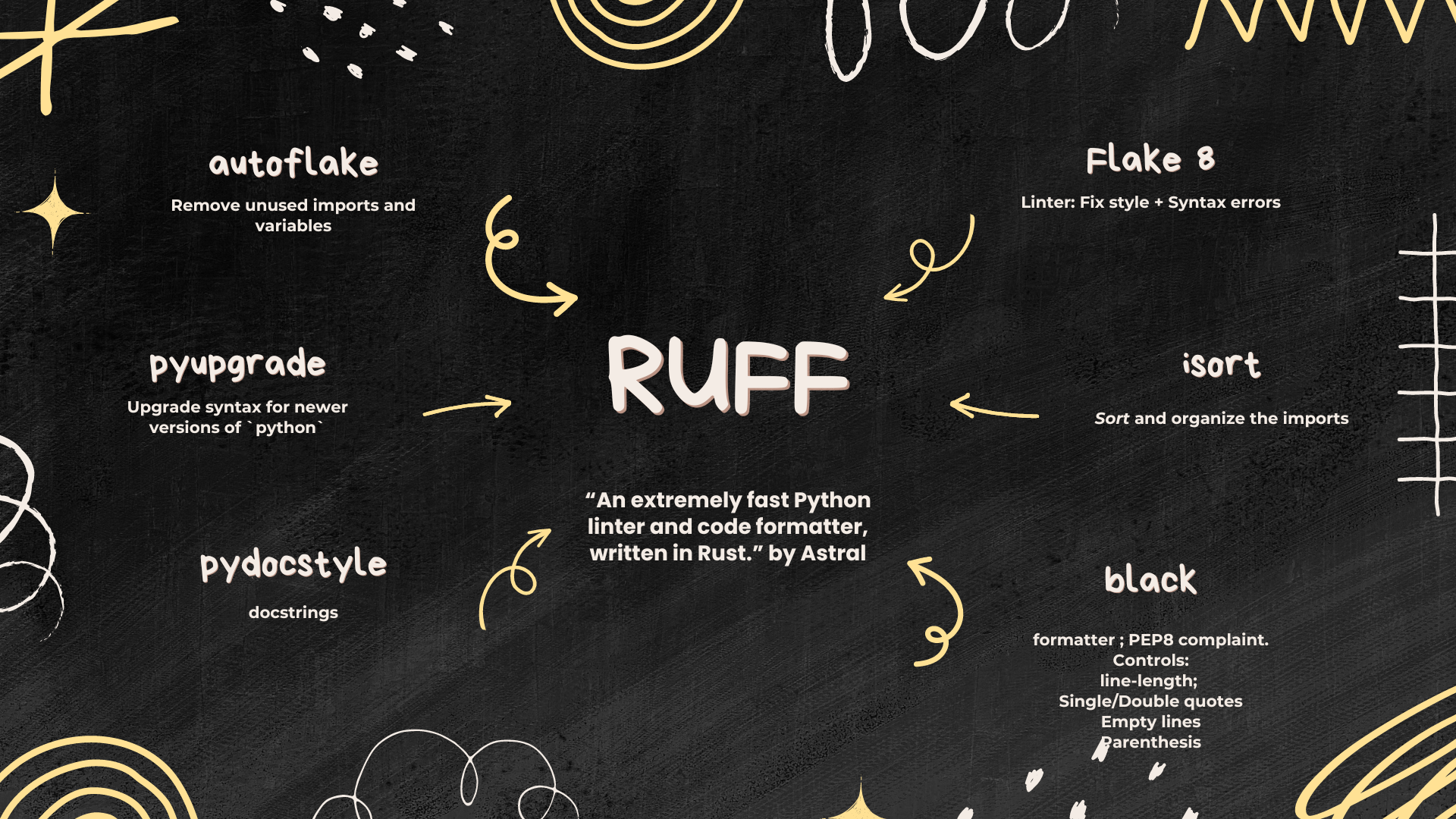
In a nutshell, RUFF can be seen as a tool that performs all these tasks:
RUFF = Flake8 + isort + black + pydocstyle + pyupgrade + autoflake
Flake8 = Linter, which fix style + syntax errors
isort = Sort the imports
black = formatter ; PEP8 complaint. Ex.: line-length: 88; Single/Double quotes; empty lines; parenthesis
pydocstyle = docstrings
pyupgrade = upgrade syntax for newer versions of python packages
autoflake = Remove unused imports and unused variables
So, instead of having to set up each one individually, use RUFF and have all these tools into a single one. RUFF was written in rust, so it is not a wrap of the previously mentioned. Also, it is way faster than the previous tools.
Setting it up on VsCode
To give suggestions on the fly, I use the Ruff VsCode Extension.
Besides that, I have my settings.json with my personal preferences:
// Use Ruff as the default formatter for Python files
"[python]": {
"editor.defaultFormatter": "charliermarsh.ruff",
"editor.codeActionsOnSave": {
    "source.fixAll": "explicit",
    "source.organizeImports": "explicit"
}
},
// Formatter for notebook cells
"[jupyter]": {
"editor.defaultFormatter": "charliermarsh.ruff"
},
// Enable format on save for notebooks
"notebook.formatOnSave.enabled": true,
// Disable other formatters to avoid conflicts
"editor.formatOnSave": true,
But these are only global settings in my personal environment.
Working with others on the same project can be painful if you don’t have a default formatter (because other team members can have different formatters and specifications); as a result, code may change the formatting for a new user. Therefore, having a .vscode/settings.json inside of the folder of your project guarantees that everyone will use the same formatted. For that, just copy your personal settings to .vscode/settings.json.
I also make Ruff as a default extension in .vscode/settings.json:
{
    "recommendations": [
        "charliermarsh.ruff"
    ]
}
Last but not least, you can also install ruff and your environment and implement it on your CI/CD routines. But it will not be covered here. Installing the extension and using the .vscode/settings.json guarantees that the suggestions will be made on the fly. But it depends on VsCode.
Bonus (Caveat)
I struggled to start using a tool like this because I used to write code in a single long line. I always received the E501: line-too-long warning from black. It happens when the number of characters in a line is longer than 79 characters, which is the recommendation in PEP 8. After applying a tool like ruff my code changed drastically (as it would force me to break lines), and it was uncomfortable in the beginning. So, I started to relax the parameter of the line-length a little bit (from 79 to for example, 150 characters) and started to analyze the impact of change. Then I realized that the impact on my previous code was not large at all.
Leaving the limit as the default, PEP 8 argues that you can open multiple files side by side, making also easier to see the git diff changes.
Anyway, if you think that this limit is small, you can relax it a little bit globally, doing it by:
[tool.ruff]
line-length = 130

lint.ignore = [
    "E501", # Ignore long lines
    "E302", # Ignore blank lines issue
    "E701", # Ignore single-line if statements
]
extend-include = ["*.ipynb"]

[tool.ruff.format]
quote-style = "double"
docstring-code-format = true

[tool.ruff.lint.pydocstyle] # It enforces that all functions have docstrings
convention = "google"
or skipping this rule by adding # fmt: skip at the end of a line. Or use #fmt: on at the beginning of a block and #fmt: off at the end.
Happy coding.